
Packages
Online, hybrid or in person.
12 weeks coaching: online, hybrid or in person
Packages, renewals and payouts next to each client. Seats and roles for when you coach as a team.
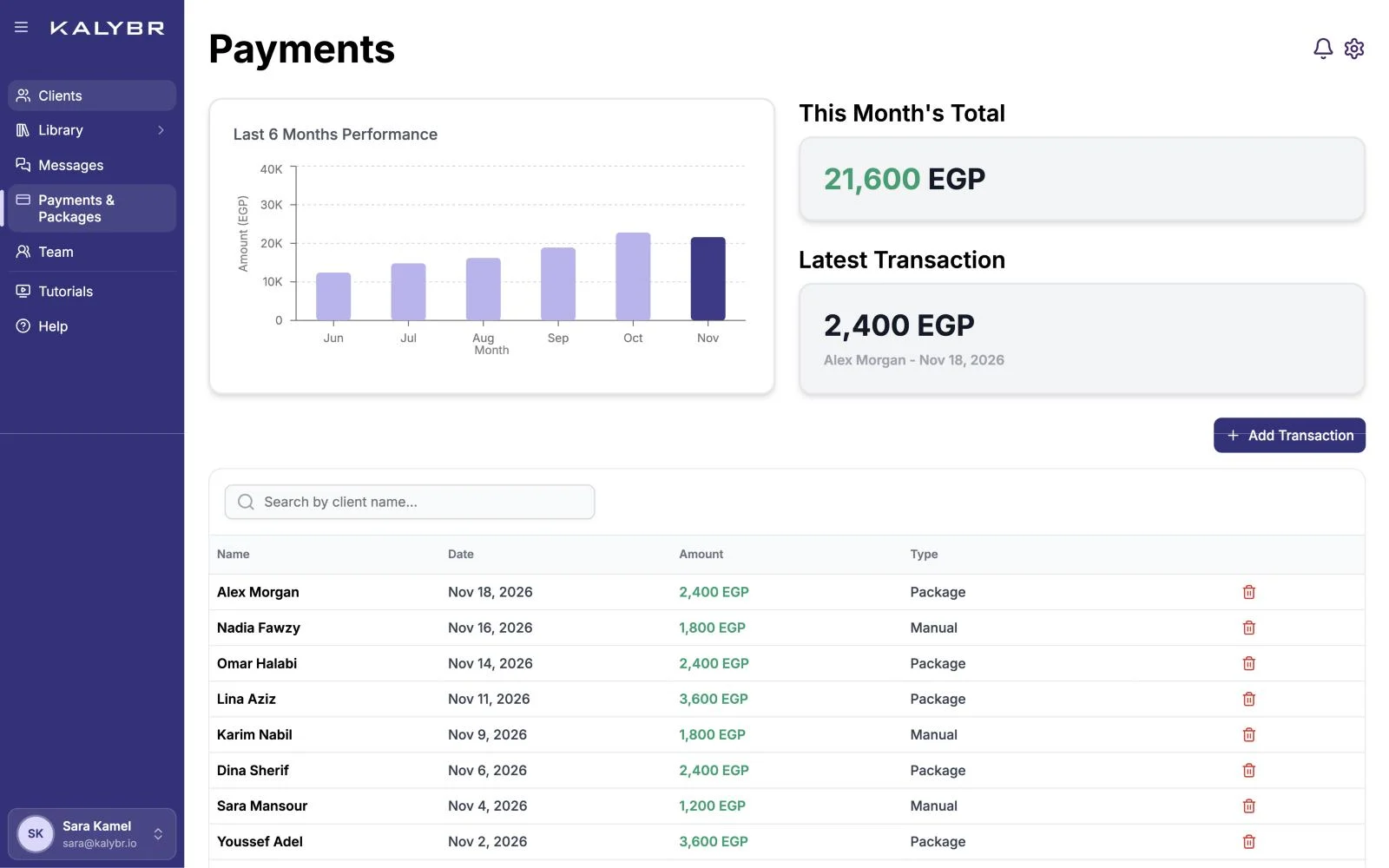
Packages, renewals and your team sit next to the client they belong to.
The money side, kept next to the client it belongs to.
Online, hybrid or in person, with a price and a length.
Their invoice and renewal date sit on their profile.
A renewal coming up or past due is flagged on your list.
Add a coach as a seat when you are ready to hand over.
Packages, invoices and renewal dates next to each client.
Online, hybrid or in person.
12 weeks coaching: online, hybrid or in personSent from Kalybr, tracked against each client.
Paid: Nadia Fawzy, 12 weeks coachingPast due and upcoming renewals flagged on the client list.
Renewal due: Alex Morgan, 4 MayAdd coaches without rebuilding a single client.
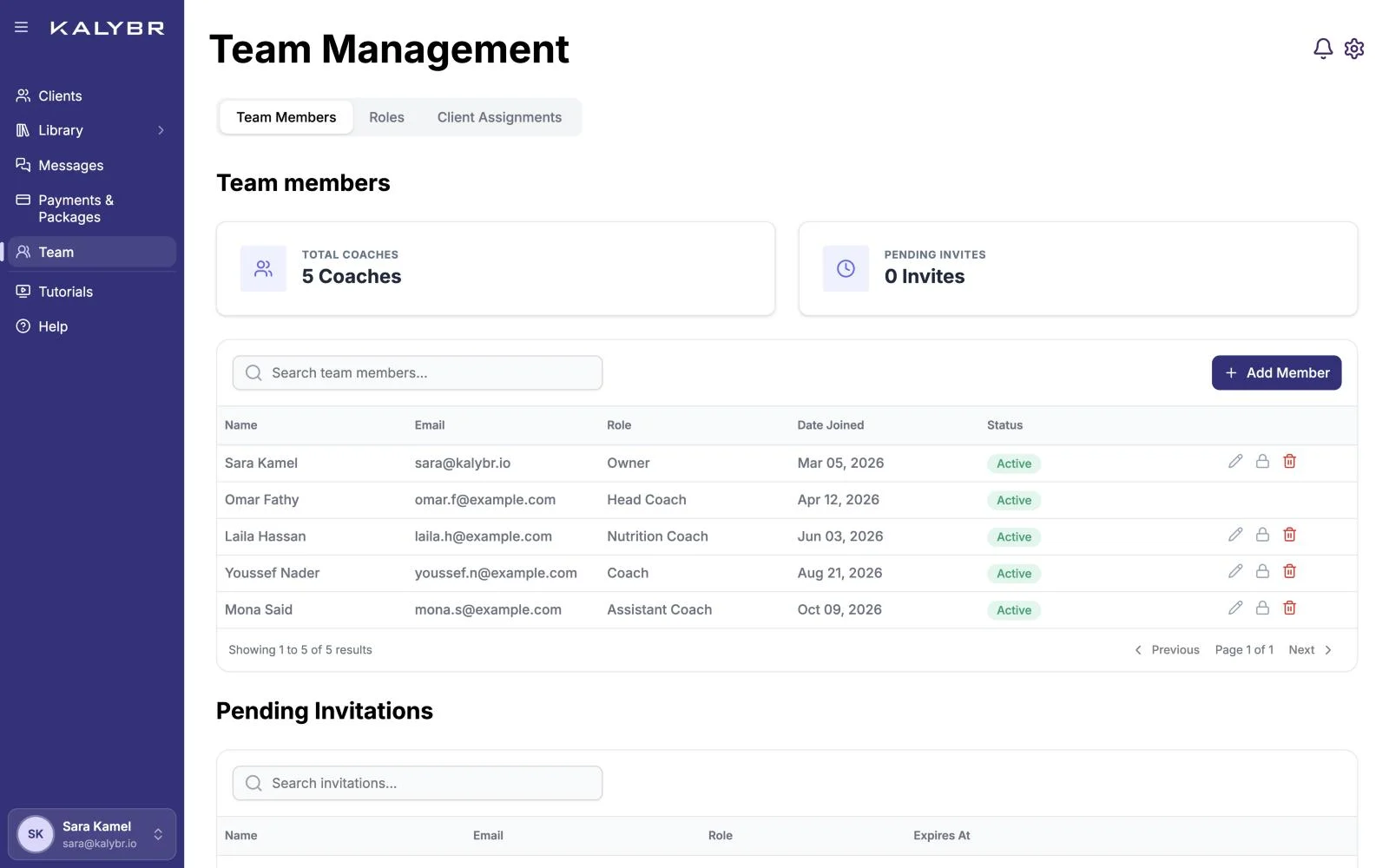
Add and remove coaches as the team changes.
3 seats, add or remove any timeOwner, coach and assistant permissions per seat.
Owner, coach, assistant: permissions per seatMove a client between coaches with history intact.
Alex moved to a new coach: programs, food and messages intactBilling, settings and access in one place.
One account and one invoice for every seat.
One invoice: every seat, one accountBrand, units and defaults set once for the team.
Brand, units, defaults: set once for the teamAccess by role, so coaches see only their clients.
Access by role: coaches see only their clientsWhat Kalybr keeps track of so you do not have to.
A package ends within two weeks.
The client is flagged, with Remind one tap away.An invoice passes its due date.
It shows as past due on the client and on Payments.You hand a client to someone on your team.
Programs, food, progress and messages move with them.You add a seat and choose a role.
They see only the clients you assign.From one coach to a full team, on the same platform.
One seat, payments built in, nothing to set up.
Seats, roles and handoffs as you hire.
Central billing and in person packages for the floor.
A column you update by hand
On each client, updated for you
You remember, or you do not
Flagged before they are due
A shared login
A seat with a role
Forward everything
One move, history intact
A subscription per coach
One invoice for every seat
Everyone sees everything
Each seat sees what its role allows
Yes. Create packages, send invoices and track renewals next to each client.
Each coach on your team takes a seat with a role that sets what they can see and change.
Yes. Programs, nutrition, progress and messages move with them.
Yes. The workspace owner pays for every seat on one invoice.

Thirty days on the full platform. We rebuild your programs for you.